

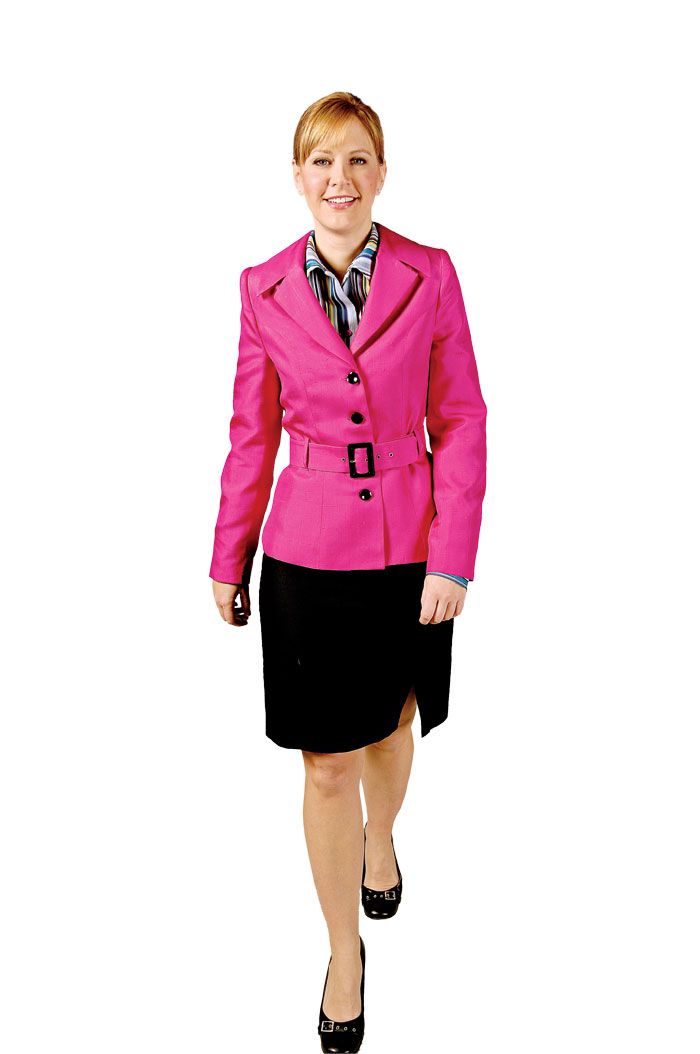
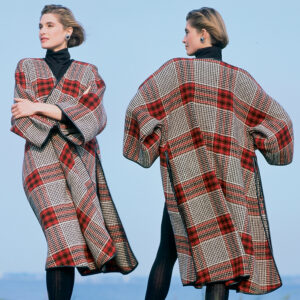
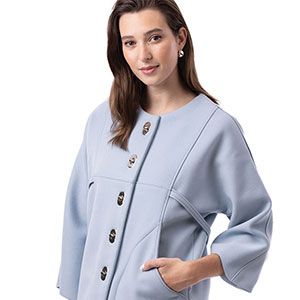
Jacket made from Bernina's My Label.
Pattern drafting software is a computer program that enables you to input your own measurements and print out a personalized pattern. These programs draft patterns to fit your measurements specifically, eliminating much fitting trial and error in the sewing room. With all of the advantages of pattern drafting software, you are just a few clicks away from designing garments that fit well right off the bat.
In the April/May 2009 issue of Threads (#142), we review three pattern drafting software programs: Pattern Maker Version 7, Bernina’s My Label, and Wild Ginger’s Pattern Master Boutique Version 4. Here’s a list of a few more to try. Check out their Web sites for more information to find which program is the perfect fit for you.
Click & Sew by Wild Ginger
www.wildginger.com
Price: $19.95 per pattern
This software is packaged as patterns in envelopes containing software on a CD-Rom. Each disc has a few variations on one garment, much like a regular pattern. They are Windows-compatible and have on-screen tutorials. You can enter your own measurements which will vary with each pattern, and then save them to use again (the software only allows you to save one set.) This is a perfect, inexpensive introduction to pattern drafting software if you’re nervous about getting started.
Dress Shop 7 Pro by Livingsoft
http://livingsoftnw.com
Price: $399
Dress Shop 7 Pro boasts more than 300 pattern options for jumpsuits, skirts, dresses, blouses and jackets, even with asymmetrical options. You can input 58 personal measurements to get a refined fit, and save multiple measurement sets for future use. The program drafts each portion of the garment separately, which is helpful for asymmetrical bodies. You can also purchase add-on pattern collections at Livingsoftnw.com.
Garment Designer by Cochenille
http://cochenille.com
Price: $199
This software allows you to start with a standard size or adjust to fit with your own personal measurements. These include Women’s 2-50, Men’s 32-50, Children’s, and Infants’ sizes as well as several dolls and even some stuffed animals. To design in Garment Designer, simply select design elements like collar and sleeve styles and click and drag points in the pattern to your liking. Garment Designer will also allow you to draft for asymmetrical bodies and knitting patterns. Extra designs (or Style Sets) are sold separately.
My Pattern Designer 2.0 by Livingsoft
http://mypatterndesigner.com
Price: $149 Standard Version, $499 Pro Version
My Pattern Designer has two versions that both allow for great customization. The Standard version requires 26 personal measurement, while the Pro Version requires 61 for a much more refined fit. My Pattern Designer Standard version allows you to adjust the patterns that are included. However, the Pro version has many more options including the ability to adjust princess seams, add shirring, create asymmetric closures and more.
Do you, or have you ever, used pattern drafting software? What do you think about the results?








I am considering buying patternmaking, or designing software. I am looking for advice as to which one to buy. Any comments will help. Barb
These all sound great. I hope others will post reviews and comments that will help us choose the one that is best for each of us.
Unfortunately every software is created in PC. I am a Mac user and would not change,especially for drafting Mac is excellent. Companies disregard Mac's completely--unfortubately. If someone can indicate to me good Mac programs I would be more than happy to subscribe.
These look great, especially Dress Shop Pro 7....just too bad they don't consider Mac users when they design their programs!! One little comment, you say that Dress Shop Pro 7 is $399, however when you actually go onto the site they say $449....or did I miss something? Hope software designers will soon wake up to the advantages of Mac....especially for more 'off the wall' programs like these, Mac is ideal.....Oh well....will just have to keep making my own adjustments in the meantime......
For those commenting on Mac Software-Cochenille has a native Mac OSX version and PatternMaker is CrossOver certified.
As for what to buy-my advice is to have a good idea of what your body type is and what you want the software to do. What level of computer skill or drafting skill is required to get what YOU want. Look at their user's groups and see what their users say.
Some of the companies have either a trial or a demo where you can input measurements-see if your measurements will draw a pattern that looks like it should! If they don't, see if you can find a user at a local sewing machine dealer that would be willing to run a pattern for you. Most people that like their software are more than willing to help. Also keep in mind that drafting software is like brands of sewing machines. People that use it get VERY attached to theirs!
I also work for one of the companies that was reviewed, and have used nothing but software for about the last decade!
Nice article!
I'm a Mac user, and I've had Garment Designer for over two years now. I can't recommend it highly enough. I originally chose it from among the patternmaking software available because of its Mac version. Now that I've used it a lot, though, I think I would choose this one over again if computer compatibility were not an issue. With it, I've been able to make a range of customized clothing with pleasing results. It provides much freedom in design while also taking away the headache of drafting difficult bits, such as armholes and sleeves. One of the sizes included is for American Girl Dolls, and the pants patterns I made with it turned out great for my young friend. It has been a lot of fun to explore and use.
It should be noted that the only one listed which is currently Mac compatible is Garment Designer.
I have had Wild Ginger Pattern Master Boutique for a few years and have mixed feelings about it.
Pros:
1. It does help to have my measurements on file since I don't have someone around to help me measure most of the time.
2. Visual aids on taking measurements was a big help to the non-sewing buddy who helped me collect the measurements I needed.
3. You can alter patterns on line with snap and click feature.
4. Really tests your construction knowledge.
Cons:
1. Sloper styles available are limited and sometimes wont let me add certain style of sleeves or neck openings to styles I want.
2. Taping pattern pieces together can be cumbersome in small spaces, especially for dress and pants patterns.
3. Some pieces do not fit together well making garment construction, without directions, frustrating.
4. Altering pattern pieces on the screen is not easy. Bought the program to help me obtain fit when I made creative alterations - but that hasn't really happened yet.
5. I take longer to sew garments because I get frustrated with construction problems that I have to work through (means researching a solution, no direction sheet to refere to). Sadly, I find myself sewing less since I bought this program because it has become frustrating and disappointing.
Sadly, of the garments I have constructed using this program I would not say I am satisfied with the end result. Can not say it is all the fault of the program, this user will take some of the blame.
I have three of these programs: Garment Designer, PatternMaster by Wild Ginger a more beefy version of Click n' Sew, and Dress Shop.
I would not recommend Dress Shop as it is too difficult to use for most people.
I like Garment Designer the most because it is the easiest to use and has the most features for the least amount of money. This program was designed by a woman who is a professor at a University in CA in Fashion Design.
I also like PatternMaster it is just a little bit more complicated than Garment Designer but costs more. What I like most about this program is that the developer/designer of it is a sewer and so is the programmer! VERY unique, but this means they know about patterns and how they fit the body.
---
Work @ Home
http://www.DotComMomTeam.com
I have been using Bernina's My Label for over a year now and just love it. As well as having terrific support, including free Webinars, there is also a user group on Yahoo with a whole gang ready to jump in and help with questions. As well, a Bernina rep checks the postings regularly and passes on her advice. I would highly recommend the program. I have a PC but there are Mac users who are using the program. We just learned that there are going to be five new patterns coming out over the next year and they will be free to download. The first one is jeans. Having a 3D model that looks like you is very helpful and as well, we joke it has caused a lot of us to get on a diet.
I've used Patternmaker for years and love it. It let's me do everything I would normally do with paper, pencil and scissors on the screen and then print out full sized patterns. I design for theatre and have made custom slopers for entire casts and cut and slashed my way to everything from 1800's dresses to 1950's dior inspired gowns to scaled scenery for scenic designs. You can also use line drawings from period source materials and retrace and scale to size.
I've often spent the evening drafting multiple patterns, take my computer into the shop the next day and everything prints out and I'm ready to go!
For those of you who love your Mac computers (and I am one too): you can get software for your Mac that enables you to run Windows softwareon your Mac. I use Parallels (around$100) or you can use Bootcamp (free) on the newer Intel Macs. The only other expense is acquiring Windows - but that can be pretty cheap as well - look for copies of Windows XP or 98 for sale on eBay (make sure it comes with the authorised disks).
Then you are good to go! You can pick any software that suits you.
I agree that software developers should consider Mac users but they have yet to see the light! And in the meantime there are so many outfits to be made that fit perfectly with the options you want.
I have Wild Ginger Pattern Master Boutique and Curves. I love these programs. They have revitalized my sewing because I don't have to do more than fine tune my fitting.
I think the pieces fit together fine, and you get used to assembling the computer paper. (Glue is faster than tape!) I don't like working with pattern tissue any more. I've purchased fewer than a dozen patterns since I got PMB in 2002, and mostly for details. It's way more fun to design on the computer than spend hours altering a commercial pattern.
One of the reasons I like the Wild Ginger products is that they have a good variety of style choices within each program. And if you want to take the design to a more original level, you can edit it after drafting. That takes a more experience and knowledge, so just drafting is great for those starting out. You do need to carefully follow the directions for measuring and setting your defaults, but after your first or second attempt you are encouraged to send your measurements and photograph to [email protected] where they are REALLY good at diagnosing what you should do. There is also a very sharing Forum online to ask questions of other users.
I also think that Wild Ginger has the best pricing with no additional modules to buy, free quarterly updates and major upgrades for $50 every year or so.
If you'd like to see more than 50 garments of all types that I've made over the past 6 years, go to http://www.flyingember.com/sewing/sewing.html
I am a chunky, middle-aged pear shape so you can see the styles on a "real" body.
P.S. I was underwhelmed by the fit of the garments in the Threads magazine article, especially the first blouse that was way too big.
This article would have been so much more helpful had the editors used the same type of pattern to evaluate the fit provided. For example, a classic blouse for each program, or a pair of slacks.
I have both Wild Ginger's Pattern Master Botique and Curves. I had also demoed the dressmaker software. From what I found, Wild Ginger's software is much better. The help that you get from the staff is exceptional. They make sure that your sloper (measurements) works before you get started designing real clothes. Also the people on their forum are more that willing to give their support and input for anything that you need, from how to use the program, to how to re-create a designer original.
A few side notes - I think that you only need to input 10 measurements to get started with the software - It will calculate the rest. And this is for any pattern making software -- BUY or loan from your library absolutely everything you can on how to put together clothes, because all that you will get from them are really basic directions on how to assemble a pattern. They can't give you everything as these are YOUR designs, they really can't tell you how to put them together for every situation.
FWIW - just an extremely satisfied customer.
I have been using pattern software for a long time now. I have Pattern Master Boutique, and CADTERNS. PMB boutique is very well supported and the help you get from the company is some of the BEST around! I love the Pattern Editor, it is fantastic. But sadly, I am not too pleased with the Boutique section, I have never got a good fit from it. I have even had a Boutique rep take my measurements, and they were all off, she had my shoulder seam at 6", which is not what my shoulder seam is!! However, I know lots of people who have made wonderful, well fitting garments with this program.
CADTERNS is a sloper generating program, and that is all it does, generates pattern slopers which then have to be manipulated into your desired pattern, so the person has to be have some pattern drafting experience and a CAD software to do the drafting. It's based on 4 measurements (height, bust, waist and hip), and can be refined further by 7 or 8 measurements. This software has been bang on for my body type with just the 4 measurements, and I get a great fit! I have used it for others as well, and it has worked really well.
Just my thoughts on this subject.
Be wary of Bernina My Label. It is tricky to use, expensive, and in the two years that I have owned it, they have concentrated their efforts on other projects, rather than keep their promises to update the software. When marketed, customers were promised free periodic software updates, which have not happened. Also, being as the human body is not perfectly symmetric, you need to sometimes make a left and right "Nina", or a front and back "Nina", depending on how varied your measurements are from the range of the models.
I have had DressShop nearly seven years and My Pattern Designer for 3. I liked DS because I could design my own style variations with it. The fit was better than RTW, but too "unfitted" for me. I'm no runway model, but shorter, rounder women should not wear unfitted anything! When MPD came out, I jumped on that wagon (partly because the developers had worked with DS). What a pleasant surprise! Great fit and stylish designs I could play with till I was blue. There are drawbacks to everything, and here it is with MPD: YOU have to work with computers, paper, glue and scotch tape, and take good measurements. That said, both of these programs contain standard RTW sizing that you can modify to fit you where you need to be tweaked; patterns need to be taped together and take up as much room as store bought patterns when full sized, and there are instructions for putting garments together in the program, but you still have to know how to sew garments. But what a way to practice!
I have 3 versions of Wildginger. I bought the Boutique version just over a year ago. I'm really happy with it and would recommend it. I did not consider myself computer literate when I bought it, but am now able to use the CAD program to design clothes - I'm making a dress at the moment which I'll post in the 'closet' when finished. I was so impressed that I bought the versions for men's and children's clothes too, and have success with these too. The main reason I'd recommend Wildginger is the absolutely fantastic customer support. Questions are answered promptly and the forum also has some very knowledgeable people who wi;; help with any queries. The sewing instructions included are quite basic, so you need to have some sewing ability.
Before I'm going to invest good money in a software package, I want to have the ability to give it a test drive. I can't find anything for any of these packages that allows you an honest-to-goodness, hands-on, 30 day demo.
To Imharvey: Nancy's Notions has a wonderful return policy. I ordered my Patternmaster 4 from the website nancysnotions.com and I'm waiting for it to arrive now. Their return policy is(copied from Nancysnotions.com):
Your 100% Satisfaction Guaranteed
Nancy's promise to you since 1979
The promise Nancy made more than 30 years ago still stands today. At Nancy's Notions, your 100% satisfaction is guaranteed. If, for any reason, at any time, you're not completely satisfied with an item's quality, please return it for a refund, an exchange, or a credit of the purchase price.
Frequently Asked Questions:
Can I return software? Yes, even after you've installed the software on your computer. Simply uninstall the software and return the complete package.
Can I return embroidery designs? Yes, go ahead and break the package seal. If you don’t care for how your new designs stitch, return the opened CD. Simply delete any designs you already loaded to your computer, memory cards, jump drives, or sewing machine.
Can I return cut fabric? Yes. Go ahead. Prewash and cut your fabric. If you don’t like how it sews, return it. It's that simple.
I bought Pattern master Boutique v 4 a few years ago, and I am still very unsure about this software. I think it has a few serious errors when generating patterns for custom styles. Making a sloper was way too complicated with taking photo's and emailing them to the support group just to get your adjusted measurements back... (they changed my bra cup size too, maybe it is right, but strange anyway) -way too much hassle.
So just out of curiosity, I took a commercial pattern and put measurements for size 10 in, created a little peplum top, all looked good, until I re-measured the pattern parts and found out that the armhole was 2.5 inches longer than the sleeve cap and also the side seams were different lengths ( 2 inche difference !!). I didn't mess around with detailed settings to achieve that kind of disproportion.
So, I am very disappointed and (as I just bought an Upgrade to v5) I am seriously thinking of getting a refund, and trying to find something more efficient.
I am looking at PatternMaker Professional studio, as I would like to have an option to draft my own patterns from scratch. It is a bit pricey, but much cheaper than real daddy's of pattern making softwares like Gerber Accumark or Optitex, for instance.
I'm also considering buying a pattern making software..i use a pc windows 7 and will really appreciate any advice on the best providers out there.... thnx,,,Temila
Has this information been updated?
I know this is very late to the game here but reading about all these "pattern makers" I am wondering if one knows autocad very well couldn't they just make there own in autocad? I need some time to figure that one out.
These looks good. and there are Some other softwares which are listed below.
Be free to message : [email protected]
lectra modaris ver 7 + diamino fashion ver 6
gerber accumark apparel design ver 9.0
gerber accumark apparel design ver 8.5
optitex ver 12
stylecad 8
tukacad 2010
audaces 7
Functions on Windows XP / 7 / 8.1
Thanks for your valuable effort
My Pattern Designer is no longer in business it seems as it does not answer any of my questions or come up on the internet search.
GKS